
The market share of Linux on the desktop has crossed the 10% mark in North America, according to cross-referenced data from StatCounter, Cloudflare, and the U.S. government’s Digital Analytics Program. This shift, correlated with the end of support for Windows 10 and the massive rejection of Windows 11 on hardware deemed incompatible, is reshaping the balance of power between operating systems.
Cyber Resilience Act and open source software: what the European regulatory framework changes
The Cyber Resilience Act (CRA), published by the European Commission, imposes security obligations on products containing digital elements placed on the market in the Union. For the open-source ecosystem, the central question is the treatment of non-commercial contributions.
The text explicitly distinguishes between commercially developed open-source software and that maintained by volunteer contributors. Community projects without direct commercial activity are excluded from the scope of obligation, but companies that integrate open code into a sold product remain responsible for compliance. The Commission has published a guidance document to clarify these boundaries.
A publisher distributing a Linux distribution for commercial purposes will have to guarantee security updates for the product’s lifetime. A volunteer Debian or Fedora maintainer is not subject to the same constraints.
This distinction, while protecting volunteer work, creates a gray area for foundations (Eclipse, Apache) that fund development without selling directly. The presentation of the Labo Linux site details several of these regulatory issues applied to common distributions.

Migration from Windows to Linux: real technical constraints
The rejection of Windows 11, whose hardware requirements (TPM 2.0, recent processors) exclude a significant portion of the installed base, drives migrations that guides often present as trivial. They are not.
Hardware compatibility and drivers
The Linux kernel natively integrates most network and graphics drivers via the DRM subsystem and redistributable firmwares. NVIDIA cards remain the main friction point: the proprietary driver works, but its integration with Wayland is progressing slowly. On recent hardware (Intel Wi-Fi BE200, AMD RDNA 3 GPU), support is generally operational right from installation with a 6.x kernel.
The real blockage is on the business device side: multifunction printers, professional scanners, license dongles. Before any migration, a complete hardware audit is necessary, not just a simple live USB test.
Choosing the distribution based on context
Consumer articles recommend Ubuntu by default. This choice remains relevant for an isolated office workstation, but it masks technical trade-offs:
- Ubuntu uses Snap as a package manager for several critical applications (Firefox, Thunderbird), which imposes sandboxing that can sometimes be incompatible with enterprise workflows (network access, NFS mounts).
- Debian stable offers a long support cycle and audited packages, at the cost of a delay in software versions. It is the most common choice in server infrastructure.
- Fedora closely follows upstream development (kernel, GNOME, systemd) and serves as a validation ground for Red Hat Enterprise Linux. Suitable for developer workstations that need recent toolchains.
The determining criterion is not the graphical interface, but the package management policy and update cycle.
Linux and AI workloads: why the system dominates infrastructure
Almost all machine learning frameworks (PyTorch, TensorFlow, JAX) are developed and optimized primarily for Linux. This is no coincidence: direct access to GPU APIs via CUDA or ROCm, fine-grained shared memory management, and the ability to compile custom kernels for specific loads provide a structural advantage.
AI agents and MLOps pipelines run on Linux by default, whether in the cloud (AWS, GCP, Azure mostly offer Linux instances) or on-premise. This dominance reinforces a virtuous circle: AI developers work on Linux, contribute to Linux tools, and companies hire Linux profiles.
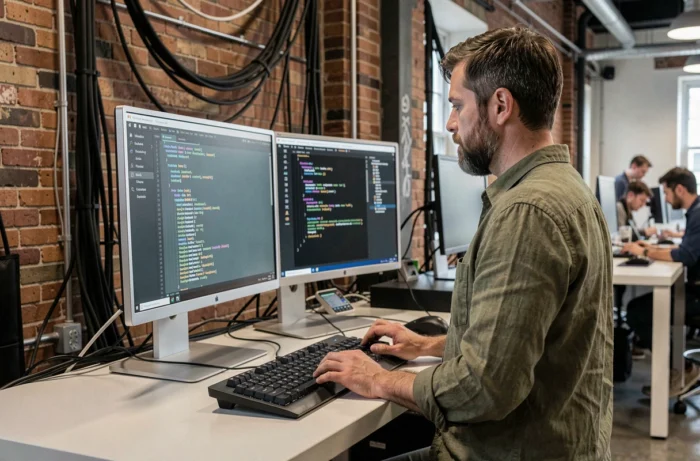
For a developer entering the field, mastering the Linux command line, container management (Podman, Docker on Linux engine), and systemd configuration files is no longer optional. It is a hiring prerequisite in most job offers related to AI infrastructure.
Command line and file system: what guides omit
Beginner tutorials cover ls, cd, cp, chmod. They rarely address the tools that make a difference in production.
The FHS (Filesystem Hierarchy Standard) hierarchy structures the tree of any distribution: /etc for configuration, /var for variable data, /opt for third-party software. Understanding this hierarchy prevents searching for a configuration file for twenty minutes.
Two under-documented commands deserve attention:
- journalctl, which replaces manual reading of files in /var/log and allows filtering logs by service, priority, or time window.
- ss (socket statistics), the successor to netstat, which displays active network connections with significantly better performance on loaded systems.
- systemctl, the pivot of service management under systemd, mastery of which conditions any serious administration of a Linux server.
Automation then involves shell scripts or configuration management tools (Ansible, which works without an agent and communicates via SSH). The Linux console is not a relic from the 1980s: it is the most efficient interface for administering hundreds of machines simultaneously.
The accelerated adoption of Linux since 2024-2025, driven by the rejection of Windows 11, the rise of AI usage, and the European regulatory framework, is transforming free computing into a leading technical skill. The system that served as a playground for enthusiasts has become the default infrastructure of the professional world.